
Ask any IT provider whether your Microsoft 365 data is backed up, and you’ll get a fast, confident yes. Ask a follow-up question, backed up how, and kept for how long, and watch the confidence wobble a little. I’ve had this exact conversation with business owners more times than I can count, and it usually ends the same way: someone assumed a word meant more than it actually does.
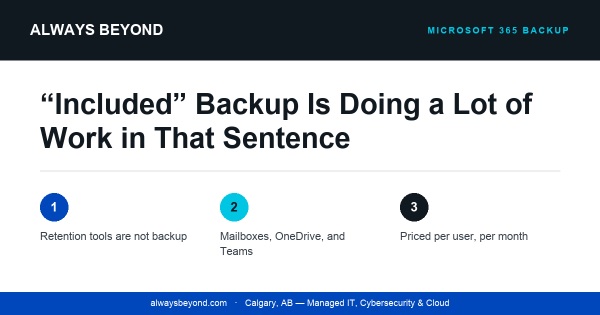
That word is “included.” Microsoft ships some genuinely useful data protection tools with 365: a recycle bin, version history, litigation hold. None of them is a backup, and the fact that so many businesses think otherwise is basically a category error with a price tag attached. Understanding actual Microsoft 365 backup pricing starts with understanding that gap, because you can’t budget correctly for something you think you already have for free.
Here’s the part Microsoft is upfront about, even if the messaging rarely reaches the end user: it’s a shared responsibility model. Microsoft keeps the servers running and the lights on. You own your data. Retention windows are short by design, and they can be undone by an admin mistake, an expired hold, or an account getting deleted on a Friday afternoon by someone who didn’t check first.
A few specific ways this bites people. Deleted items sit in Exchange’s version of a dumpster for a set number of days, then they’re gone for good. OneDrive and SharePoint version history tracks changes to individual files, but it was never built to restore an entire environment to a specific point in time. A ransomware attack, or a rogue app that got OAuth access it shouldn’t have, can chew through mailboxes and drives faster than any retention policy can react. And offboarding is its own trap: someone leaves, and their mailbox and OneDrive often start counting down to permanent deletion on a timer nobody’s watching.
None of this makes Microsoft 365 bad software. It just means retention tools were built to solve a different problem than “get my data back after something went wrong.”
What an actual backup covers
A real backup product sits next to your tenant and takes its own independent, point-in-time copies. At minimum that means Exchange mailboxes, calendars and contacts included, not just the inbox, plus OneDrive files restorable to a specific date, SharePoint document libraries and site structure, and Teams data, which people forget because it’s technically scattered across SharePoint and Exchange behind the scenes. The good tools let you restore one file, one mailbox, or an entire user, and they store the copy somewhere a compromised admin account can’t reach it.
What you’re actually paying for
Pricing follows a predictable shape once you know what to look for.
| Pricing factor | What it usually looks like |
| Per-user or per-mailbox | Billed monthly per licensed seat, same logic as your 365 subscription itself |
| Retention length | 30 to 90 days costs less; unlimited or multi-year retention costs more |
| Storage model | Some vendors bundle storage into the per-user rate; others meter it separately |
| Coverage scope | Mailbox-only is cheaper than mailbox plus OneDrive plus SharePoint plus Teams |
| Billing term | Monthly is standard; annual terms sometimes shave the per-user rate |
Budgeting for it isn’t complicated, even if it sounds like it should be. Count actual licensed mailboxes, not headcount, since shared mailboxes don’t need the same coverage. Match retention length to how the business actually operates: a firm with compliance obligations needs longer memory than a small retail shop does. Get every vendor to put coverage scope in writing, because “mailbox only” and “full tenant” are worlds apart in both price and in what they protect. Then treat the per-user rate like any other fixed software line item, because functionally, that’s exactly what it is.
It’s not a thrilling line in an IT budget. It’s one of the cheaper insurance policies a business can buy, and most people don’t find out how cheap until after they needed it and didn’t have it.
Before your next renewal conversation, ask your current provider one blunt question: if a folder got permanently deleted from SharePoint six months ago, could you get it back today? Watch how long it takes them to answer, and whether the answer involves the word “unfortunately.”